e99 Online Shopping Mall

Geometry.Net - the online learning center Help  
Home  - Basic M - Macintosh Operating System (Books)

  Back | 21-40 of 100 | Next 20
A  B  C  D  E  F  G  H  I  J  K  L  M  N  O  P  Q  R  S  T  U  V  W  X  Y  Z  

click price to see details     click image to enlarge     click link to go to the store

$11.96
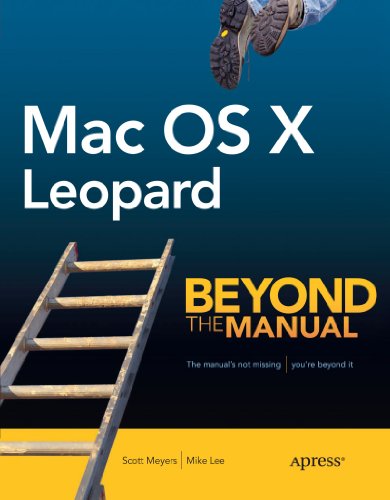
21. Mac OS X Leopard For Dummies (For
$41.65
22. Apple Training Series: Mac OS
$19.77
23. My New Mac: 50 Simple Projects
$0.70
24. Mac OS X and Office v.X Keyboard
 
25. Lan Operating Systems (Enterprise
$31.95
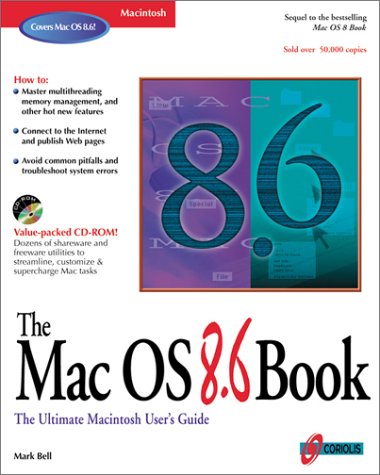
26. The Mac OS 8.6 Book: The Beginner's
$8.02
27. Mac OS X Leopard Just the Steps
28. The Mac OS 8 Book: The Ultimate
$3.43
29. Mac OS X Unwired: A Guide for
 
$92.31
30. Logicworks Verilog Modeler: Interactive
$0.09
31. Hacking Mac OS X Tiger : Serious
$0.99
32. Mac OS X Version 10.1 Little Black
$23.20
33. Macintosh Human Interface Guidelines
 
$4.15
34. Macintosh System 7: The Complete
$1.98
35. Macintosh System 7 Instant Reference
 
$6.00
36. Xtras for System 7: 13 Original
 
$0.01
37. Macintosh System 7.5 for Dummies
$60.75
38. Operating System Design-Internetworking
$16.98
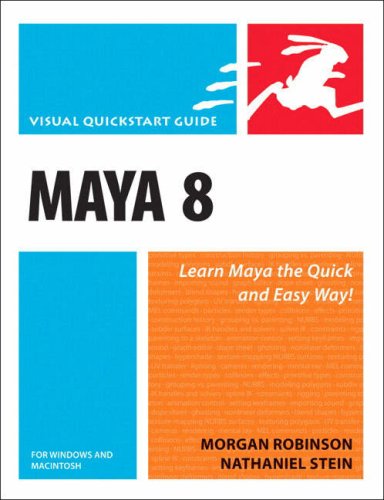
39. Maya 7 for Windows & Macintosh
$14.59
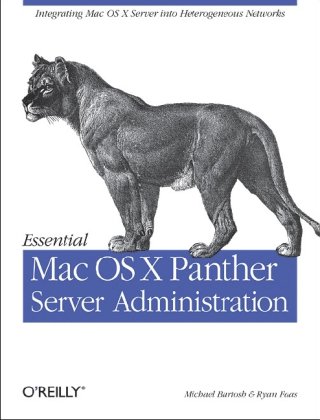
40. Essential Mac OS X Panther Server

21. Mac OS X Leopard For Dummies (For Dummies (Computer/Tech))
by Bob LeVitus
Paperback: 432 Pages (2007-10-31)
list price: US$21.99 -- used & new: US$11.96
(price subject to change: see help)
Asin: 0470054336
Average Customer Review: 3.5 out of 5 stars
Canada | United Kingdom | Germany | France | Japan
Editorial Review

Book Description
Mac OS X Leopard is the new cat in town, and wait until you see all the tricks it can do! Whether you’re new to the Mac or a longtime Mac-thusiast, Mac OS X Leopard For Dummies is the fun and friendly way to have your Leopard purring in no time.

While the Mac has built its reputation in part on being user-friendly, OS X Leopard has lots of features that do lots of things—and that’s where Mac OS X Leopard For Dummies puts you a step ahead. If you’re meeting your first Mac, start at the beginning and you’ll feel like a pro in no time.  If you’re familiar with earlier incarnations of OS X, you can jump right to the chapters on organizing your files and getting a sneak peek with Quick Look, backing up with the cool new Time Machine, using Spaces to manage Finder and application windows, and getting down with all the cool Mac multimedia features.

Mac OS X Leopard For Dummies shows you how to:

  • Customize your Dock and desktop
  • Search smarter with Spotlight
  • Sync your contacts and calendars
  • Watch movies, play music, and download digital photos or video
  • Start video chats on the fly
  • Surf the Web with Safari—safely
  • Get organized with Spaces
  • Run Microsoft Windows on an Intel-based Mac
  • Protect your kids with Parental Controls
  • Set up a network and share files

Written by Bob LeVitus, a.k.a. “Dr. Mac”, Mac OS X Leopard For Dummies is quite likely the fastest and easiest way to tame a Leopard! ... Read more

Customer Reviews (9)

3-0 out of 5 stars Leopard manual
This manual seems thorough and well written, full of information, but a problem seems to be that when you come down to details, they're hard to find. Maybe a problem with all manuals, not just David Pogue. For example, as a new Mac user, I have trouble figuring out how to delete things, and how to change their names without re-saving, and haven't found help here. There is also no mention of Office for Mac, which surely most Leopard users use, and where these details are especially important.

2-0 out of 5 stars Don't be a Dummieand Buy It
I am a first time Mac owner, and I thought this would be just what I needed.IF the authorspent less time on being cute,and more on being informative,it might work.There were so many things that were barely touched on including"Mail"that if you are a first time Mac user this book does little to make you feel comfortable with it. Spend a few more dollars and get the"The Missing Manual Leopard Edition. David Pogue takes up almost 900 pages toexplain what you need to know as opposed to"Dummies" 450 pages.

2-0 out of 5 stars Dissappointing
I was hoping for a comprehensive "how to" guide. This just scratches the surface and doesn't dig down to many of the options available in detail enough to be able to use them. It barely even touched making podcasts in garageband for instance. I will be looking for something else. For an overview, it might be fine----just not in detail----sorry.

5-0 out of 5 stars great read!
this is a great read if you have changed from windows to mac. i learned a lot from it.

5-0 out of 5 stars Great buy
I think this is a wonderful book. It helped me a lot since I am new to Apple products and their operating system. I recently bought a Mac Book Pro, and with the help of this publication, I have been able to enjoy my Mac. Id like to see one where it details on how to set up a home network step by step. Sorry if Im asking to much. Great buy!


Jose ... Read more


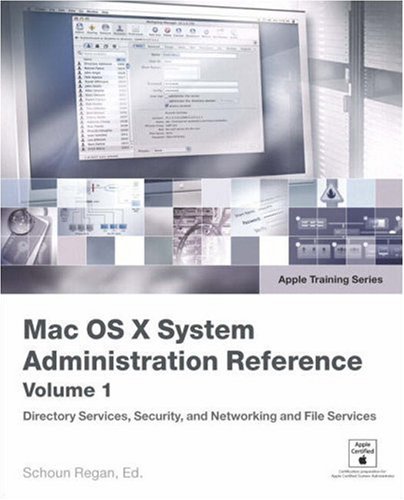
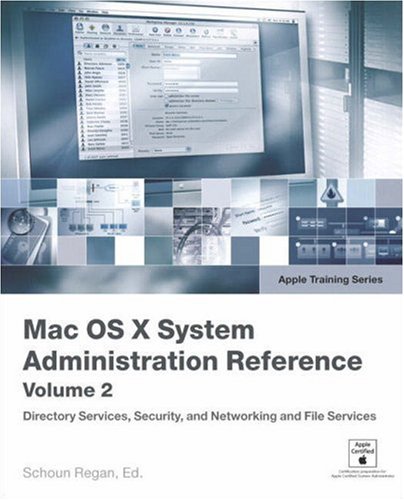
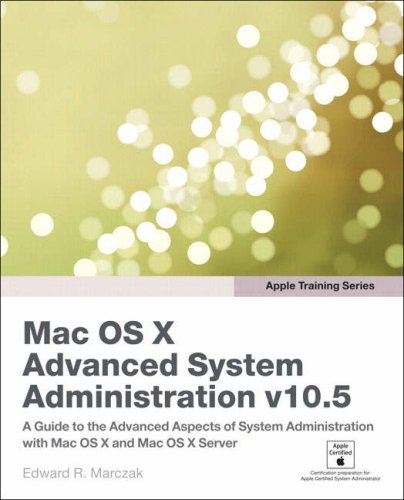
22. Apple Training Series: Mac OS X v10.4 System Administration Reference, Volume 2 (Apple Training)
by Schoun Regan, David Pugh
Paperback: 400 Pages (2006-06-15)
list price: US$54.99 -- used & new: US$41.65
(price subject to change: see help)
Asin: 0321423151
Average Customer Review: 4.5 out of 5 stars
Canada | United Kingdom | Germany | France | Japan
Editorial Review

Book Description
Focusing specifically on Account Management and Deploying Mac OS XServer, this comprehensive reference provides in-depth information onMac OS X Server's technical architecture. System administrators, ITprofessionals, and Mac enthusiasts will learn the details of how todeploy Mac OS X Server within a multiplatform, heterogeneousenvironment, and how to manage Mac OS X Server accounts. This is thesecond of two volumes certified by Apple Computer. Following thelearning objectives of the Apple Certified System Administrator exam,this book is a perfect supplement to Apple's own training class and anin-depth technical reference for existing system administrators andengineers. ... Read more

Customer Reviews (3)

5-0 out of 5 stars Apple Training Series - Admin Vol 2
Very usefull book.
High tech reference guide, if you want to understand mac and/or unix you need of it.

5-0 out of 5 stars Great Resource!
This book is a great resource for any system admin, or especially those completing the certification tracks for Apple.

4-0 out of 5 stars Expensive series but surely valuable
My one and only complaint is the cost of these version specific books.The next OS X will be out in just a few months, but here we are with a 10.4 specific book.And of course this book by itself doesn't do much: you need others in the same series to have a good overall picture.

But: as I expect with Apple docs, these are very nice: good looking, well presented, excellent coverage.For a Windows admin needing to understand OS X, these would be perfect, and they also are aimed at specific Apple Certification courses, so someone planning to take those would also benefit.

Be warned: there's plenty of detail left out.You need to do the exercises, you need to experiment, and you probably will need other resources too.But this (with the other Server oriented books in the seies) definitely is an excellent introduction and reference. ... Read more


23. My New Mac: 50 Simple Projects to Get You Started
by Wallace Wang
Paperback: 488 Pages (2008-03-07)
list price: US$29.95 -- used & new: US$19.77
(price subject to change: see help)
Asin: 1593271646
Canada | United Kingdom | Germany | France | Japan
Editorial Review

Book Description
Mac OS is a beautiful and reliable operating system, but it can be confusing to brand new Mac owners-especially if they come from Windows. After all, Mac OS is not Windows, and that's a good thing. But that doesn't necessarily mean that it's easy for new users to penetrate this different operating system. Fortunately, with My New Mac, it won't be long before readers are relishing those differences. Rather than focus each chapter on a specific program or feature of Mac OS (as most beginner books do), Wallace Wang takes a project-oriented approach that mirrors the sorts of things people want to do with their Mac. For example, rather than offering a tedious, step-by-step walkthrough of Photo Booth or iChat, Wang focuses on using Photo Booth to organize photos and post them to a website or using iChat to chat with friends. Key aspects of each program needed to perform a task are discussed and indexed for easy reference, but this is not a reference book: it's designed to teach new users how to get the most out of their Mac by having them use it to actually do things. ... Read more


24. Mac OS X and Office v.X Keyboard Shortcuts
by Guy Hart-Davis
Paperback: 176 Pages (2004-03-09)
list price: US$12.99 -- used & new: US$0.70
(price subject to change: see help)
Asin: 0072255013
Canada | United Kingdom | Germany | France | Japan
Editorial Review

Book Description
Save time and effort while boosting your productivity and simplifying your work with the help of this handy guide. Inside, you’ll learn how to use the hundreds of keyboard shortcuts built in to Mac OS X and the Office applications—from mainstream shortcuts for frequent operations to little-known time-savers that few users ever discover. You’ll also learn how to create your own custom shortcuts, configure your keyboard to suit your typing style, and choose specialized keyboards to reduce stress and speed up your work. ... Read more


25. Lan Operating Systems (Enterprise Series)
by Michael Day, Larry Budnick, Eric Harper
 Paperback: 700 Pages (1993-02)
list price: US$39.95
Isbn: 1562050540
Canada | United Kingdom | Germany | France | Japan

26. The Mac OS 8.6 Book: The Beginner's Guide to Apple's Most Widely Used Operating System
by Mark R. Bell
Paperback: 560 Pages (1999-05-17)
list price: US$39.99 -- used & new: US$31.95
(price subject to change: see help)
Asin: 1576104435
Canada | United Kingdom | Germany | France | Japan
Editorial Review

Amazon.com
The Mac OS 8.6 Book says a great deal about Mac OS 8.6 from the user's point of view. If you're wondering how to get something done or how to use a particular feature of this operating system, the answers you need are in these pages. Covered subjects include the contents of the System Folder, the Finder's features, typography, printing, and memory management.

You'll find particularly good coverage of networking: the book shows you how to configure file and printer sharing on an AppleTalk network and explains the ins and outs of Personal Web Sharing. It also walks you through the process of getting connected to the Internet. More information on hooking Macs to Windows boxes on local networks would have made this book a standout.

The Mac OS 8.6 Book tends toward the elementary end of the difficulty scale, giving lots of attention to basic skills and features while including only broad-brush coverage of AppleScript programming and other advanced capabilities. This book includes better-than-average coverage of Sherlock, including its new ability to let the user choose from among a series of search engines to which to submit a query.

You may also want to look into The Little Mac Book and, for true newcomers, Mac OS 8.6 Visual Quickstart Guide. --David WallBook Description
Master the basics and hot new features-work efficiently with files and folders, organize the desktop, convert files, and much more. Streamline the Mac OS-juggle multiple tasks, maximize the hard drive, add power through memory management and virtual memory, and speed up tasks with sample Applescripts included with the OS. Discover the Internet-use built-in features to connect to the Internet, browse the Web, exchange email, publish Web pages, and much more. ... Read more


27. Mac OS X Leopard Just the Steps For Dummies (For Dummies (Computer/Tech))
by Keith Underdahl
Paperback: 240 Pages (2007-11-12)
list price: US$14.99 -- used & new: US$8.02
(price subject to change: see help)
Asin: 047010967X
Average Customer Review: 4.0 out of 5 stars
Canada | United Kingdom | Germany | France | Japan
Editorial Review

Book Description

  • Eliminates lengthy introductions, detailed explanations, and sidebars, focusing on what new Mac OS X users want most-clear instructions on how to accomplish specific tasks
  • An easy-to-navigate landscape layout featuring a two-column design and illustrated step-by-step instructions make it easy to find a specific task fast and get it done in a flash
  • Tasks covered include adjusting system preferences, creating and managing user accounts, managing files and folders, using the Dashboard, networking wirelessly with AirPort, using iTunes and iPods, connecting to a Windows network, watching videos and DVDs, viewing and organizing pictures with iPhoto, making movies with iMovie, blogging and Web designing with iWeb, and using a .Mac account
  • Published to coincide with Apple's release of Leopard
... Read more

Customer Reviews (2)

3-0 out of 5 stars Mac OS X Leopard for Dummies
A bit advanced for dummies if you have never been a Mac user!As a brand new Mac owner, I had difficulty with it for getting started on learning Mac but after a month, it is now helpful.

5-0 out of 5 stars GREAT OOK FOR STARTERS
Mac OS X Leopard Just the Steps For Dummies (For Dummies (Computer/Tech))
EASY TO UNDERSTAND, CUTS TO THE CHASE WITHOUT LONG TECHIE TERMS.
YOU HAVE A QUESTION ,LOOK IT UP AND THE BOOK PROVIDES A QUICK AND EASY ANSWER ... Read more


28. The Mac OS 8 Book: The Ultimate Macintosh User's Guide
by Craig Danuloff, Mark R. Bell
Paperback: 484 Pages (1997-07)
list price: US$34.99
Isbn: 1566046882
Average Customer Review: 3.0 out of 5 stars
Canada | United Kingdom | Germany | France | Japan
Editorial Review

Amazon.com
The perfect companion to Apple's new Macintosh operating system, The Mac OS 8 Book is a comprehensive end-user guide for all levels. The text is written like a user's manual rather than a tutorial, so you can expect depth as well as clarity on all of the topics. Plenty of screen shots, charts, and highlighted tips illustrate each section. Seasoned users will appreciate the exhaustive reference and excellent troubleshooting guides, as well as the complete tour of OS 8's new features.

Chapter topics include the new Finder interface and desktop appearance, working with multiple applications, networking, and connecting to the Internet. Other new features include multi-threading, improved hard-drive and memory management, and the Personal Web Server. If you're worried about whether your current software will work properly on OS 8, a section is devoted to determining application compatibility. The included CD-ROM contains an assortment of utilities and trial versions of popular software including BBEdit and Debabelizer. ... Read more

Customer Reviews (4)

3-0 out of 5 stars Good general guidance, but not enough troubleshooting help
A good enough general survey of the Macintosh operating system -- fairly complete, and easy to read and follow.However, for more advanced users there is not enough information on troubleshooting, which is what I think most users are looking for in a computer book.

3-0 out of 5 stars good book for beginners
well the really good thing about the book is that it contains a complete reference of what is possible with the mac, but for previous users of Mac Os 7.x it is just too much of informtaion. Unfortunately there is no section "what`s new in the MAc OS 8".

3-0 out of 5 stars Mac Os 8 for Beginners
This is the manual Apple should have supplied with Mac Os 8. I would certainly recommend it for beginners or new users. However this book offers no real help to users wishing to resolve problems or to experienced "Macusers"This appears to be an issue with almost all "System" books written for the Macintosh. For those people looking for a users manual on system 8, a good buy.

2-0 out of 5 stars Not enough trouble-shooting information.
When a Mac works properly, one does not need a book.I buy books like The Mac OS8 Book to help me when I am in trouble.When OS 8 freezes and crashes (and it does!) the book offers no help.I was disappointed. ... Read more


29. Mac OS X Unwired: A Guide for Home, Office, and the Road
by Tom Negrino, Dori Smith
Paperback: 224 Pages (2003-11-24)
list price: US$24.95 -- used & new: US$3.43
(price subject to change: see help)
Asin: 0596005083
Average Customer Review: 4.0 out of 5 stars
Canada | United Kingdom | Germany | France | Japan
Editorial Review

Book Description
Mac OS X Unwired introduces you to the basics of wireless computing, from the reasons why you'd want to go wireless in the first place, to setting up your wireless network or accessing your wireless services on the road. The book provides a complete introduction to all the wireless technologies supported by Mac OS X, including Wi-Fi (802.11b and g), infrared, Bluetooth, CDMA2000, and GPRS. You'll learn how to set up your first wireless network and how use the Mac OS X software that supports wireless, such as iSync, iChat, and Rendezvous. You'll also get a good understanding of the limitations and liabilities of each wireless technology.Other topics covered in the book include:

  • Using wireless at home, in the office, or on the road
  • Connecting to wireless hotspots
  • Wireless Security
Mac OS X Unwired is a one-stop wireless information source for technically savvy Mac users.If you're considering wireless as an alternative to cable and DSL, or using wireless to network computers in your home or office, this book will show you the full-spectrum view of wireless capabilities of Mac OS X, and how to get the most out of them. ... Read more

Customer Reviews (6)

3-0 out of 5 stars Adequate with Some Meritable Parts
I love the Mac, using it since System 4 (1989), and I wanted a good technical book on wireless technologies on Mac OS X. Naturally, I encountered this book seem to be the book that I needed.And I must say it does an adequate job, but I just don't find it all that exciting and I don't feel there's much value beyond basic information.I browsed Windows and Linux equivelent Unwired books, and those books are much more in-depth.

For getting a sense of what Wi-Fi products are available, this book is not enough.It mostly focuses on only Apple's wireless solutions, and not enough on third-party products that support the Mac.For example, there are 29 pages covering Airport Base Station, but a measely 3 pages for non-Apple wireless offerings.I was sorely disapointed in that.

For general Wi-Fi technologies and security (CHAP3 to CHAP5), it does a decent job.I like the security section, but I still felt there neaded to be more; for example, I wanted to know authentication protocols for WPA that Apple supports.This is useful in determining what products work with the Mac OS X, and also what OSes can work with the Airport BaseStation in regards to WPA features.In contrast, the Windows Unwired book even covers configuring a Radius server for use with WPA..., while the Linux Unwired has better nuts 'n bolts technical coverage of Airport Base station.Why can't Mac readers get the same coverage?

The blue-tooth chapter (CHAP6) was more exciting, and I felt they did a decent job covering cellphone synchronization and general Apple Bluetooth technologies.I do wish though they had more coverage of Bluetooth PDAs like Palm and PocketPC, with third party tools like MissingSync and PocketMac.More in-depth coverage of Bluetooth would be nice, e.g. file transfers especially with photos on the PDA, wireless headsets with the Mac, etc.The security coverage for Bluetooth was roughly a single page.I know there's more info. out there on this...

The other chapters (CHAP 7 to CHAP 9) I did not feel were much of value.Perhaps it is just my personal perference, but I am not much excited about RF and Infrared, or general cell phone technology.Maybe If my laptop could be a remote, that would be fun, but no such luck here...

There was a chapter on Rendezvous (CHAP 8), which is applicable to general networking technologies, but in the context of wireless, I did not feel this should have been in the book.I would have rather had the book focus more on core wireless technologies.

Lastly, I know it is hard to have a book that is technical enough, but doesn't scare away button-clicking users.My review is oriented toward expecting more advanced material for businesses, IT oriented people, or just advanced powerusers.This is what I felt the other Unwired books offered, and this book doesn't seem to keep pace with those.

4-0 out of 5 stars Solid end-user based introduction to WiFi and Bluetooth
This is a fairly comprehensive, if brief, book on Wi-Fi and Bluetooth for Mac OS X. RF stuff is covered in an appendix at the end. From my read it's meant primarily for end-users. Advanced folks will probably get a tip here and there, but not much more.

Chapter by chapter; Chapter one is basic terminology and an overview. Chapter two covers Wi-Fi hardware. It does have a nifty fix for the Wi-Fi problems on the 15" TiBook. Chapter three covers base stations and antenas. Chapter four is a very brief look at Wi-Fi access from external sources, like Starbucks. The fifth, and last chapter on Wi-Fi, covers the basic protocol layer tools like SSH.

Chapter six covers Bluetooth, it's a good introduction but it's a little screenshot heavy. Chapter seven is on cell-phone connectivity, which is pretty cool new material. If you are serious about that you should get this book. Chapter eight is on rendevous and it's a nice, but short, introduction.

If you are just getting into Wi-Fi on Macintosh you should probably take a look at this book.

3-0 out of 5 stars Not good enough
My purpose in buying and reading this book was to troubleshoot a Mac wireless problem: a Mac desktop G4 on a multiplatform home network (Mac, W2K, Red Hat Linux 9.0) that does not retain either the SSID or the WEP key in its wireless settings and therefore has to be reconfigured nearly every time it is booted. I am a network administrator by trade and support all three operating systems at work, but the Macs are work are on a wired network. No help there...and no help from this book, either. The book devotes all of three pages to non-Apple access points (mine is a Netgear ProSafe a/b/g firewall/switch/router on a 1.5 Mbps DSL connection) and offers no troubleshooting assistance for Macs trying to connect to such a device. In fact, the book is almost devoid of troubleshooting assistance. All does not always go well with wireless connectivity, even with Macs, and these authors seem unable or unwilling to admit that and deal with it. For an O'Reilly book, this one is a disappointment. It's not good enough if anything goes wrong.

A few months later: another problem with another Mac on the same protected wireless network. This time a brand-new PowerBook's built-in Airport Extreme could not connect to the router--couldn't even see it. This book was the first resource I turned to for troubleshooting, and again it was useless. One sentence in a newsgroup discussion provided the very simple answer, and both Macs are fine now.

5-0 out of 5 stars Perfect for understanding Mac OS X and wireless tech
If only this book had been available when I started delving in wireless networking! While my network is simple - and getting the AirPort network up and running for my Macs was a breeze - it does involve a DSL modem, a switch, an AirPort base station acting as a bridge to a wired Ethernet network, and several computers, including PCs. I remember spending a fair amount of time when first setting it up to get everything working correctly, especially the link between the wired and wireless network. Negrino and Smith walk the reader through all the steps required to set up and configure an 802.11 network, and cover the sticky issues concerning IP addresses, DHCP addressing and many other acronyms that novice users may be unfamiliar with.

One of the strengths of this book is the authors' tone of voice. Negrino and Smith assume that the reader does not know a lot about the many protocols and acronyms used, and they explain these elements in a cool and patient manner. There is no talking down to the reader, nor is there any obfuscation. The explanations are clear and simple, and readers will be able to set up a wireless network - no matter how complex - with ease.

But the book goes beyond mere WiFi networking, with a thorough presentation of Bluetooth, cellular connectivity, Rendezvous and more. No matter which wireless technologies you want to use with Mac OS X, this book explains them in simple, non-geeky language.

As more people - even home users - have multiple computers, connecting them is the best way to leverage all their functions. Wireless networking is, as the authors say, "simple the most cost-effective and least obtrusive way to connect all of your computers." If you've been tempted by wireless networking, and have been hesitant, thinking that it's complex and complicated, invest in this book - it's the perfect toolkit for setting up all kinds of wireless networking with Mac OS X.

5-0 out of 5 stars Excellent Wireless Primer
This book serves as a good primer into all the ways you can use your Mac without wires. WiFi, Bluetooth, GPRS, and even the old infrared standards are covered. If you haven't played with the wireless capabilities of your Mac, this book will help you explore them and get you on the web while sipping coffee at the corner shop. And even if you have played extensively with what your Mac can do without wires, you'll still find a few tidbits that you probably haven't run into before. ... Read more


30. Logicworks Verilog Modeler: Interactive Circuit Simulation Software for Windows and Macintosh/Windows Version
 Textbook Binding: 102 Pages (1997-08)
list price: US$32.23 -- used & new: US$92.31
(price subject to change: see help)
Asin: 0201498855
Average Customer Review: 4.0 out of 5 stars
Canada | United Kingdom | Germany | France | Japan

Customer Reviews (1)

4-0 out of 5 stars Good to have it
It is a handy book when you want to design a logical ciruit.It is mucheasier to simulate a circuit base on a simulation criteria than to build acircuit and experonce on that.

the book helps to learn about thesimulation concepts and much more... ... Read more


31. Hacking Mac OS X Tiger : Serious Hacks, Mods and Customizations
by Scott Knaster
Paperback: 378 Pages (2005-07-14)
list price: US$24.99 -- used & new: US$0.09
(price subject to change: see help)
Asin: 076458345X
Average Customer Review: 4.0 out of 5 stars
Canada | United Kingdom | Germany | France | Japan
Editorial Review

Book Description
This serious, but fun, down-and-dirty book will let you make Tiger purr, ensuring that your Macs appearance, speed, usability, and security settings are what you want. Author Scott Knaster:

  • Shows you how to speed it up, lock it down, or pull back the curtains.
  • Dives into default system settings, unlocks hidden gems, and includes original Mac OS X programs with full source listings and explanations.
  • Shows heavyweight hackers the tricks and modes of OS X booting, tweaks for login screens, and how to customize or even kill the Dock.
  • Offers the inside scoop on Dashboard and Spotlight, including two sample widgets and one Spotlight importer, all with fully annotated source listings.
  • Demonstrates how to install and use Unix and X11 applications, take advantage of command line tools, and create system services and active Dock badges.

Order your copy today. ... Read more

Customer Reviews (5)

4-0 out of 5 stars Empowering your Mac in steps.
This book is most effective if you are sitting in front of your Mac system whether it's a laptop or desktop. Work your way through the examples from start to finish, reading the chapter introduction before embarking on each adventure. While hacking is generally viewed as a more skilled or extremely geeky term, this book is clearly useful to experienced beginners who want to gain expertise in the functionality/usability of their Mac (as well as those who want to explore modifying their Mac more extensively).

Part I of the book is dedicated to a gentle introduction to the components that make up Mac OS: the finder, dashboard, dock, preferences, user interface, startup, iTunes, utilities, unix applications, terminal, and shell commands.

Part II is strictly for those ready for the "Advanced Mac" training.

Although most people see the GUI portion of the OS, keep in mind that the "engine" underlying the GUI is Unix and 'hacking' the Mac will at some point descend into command line editing. Rather than be daunted by exposure to typing in your commands instead of having your desires constrained by what some application interface designer decided you could change with a GUI, embrace the power of the OS. Knaster slowly prepares the reader for the more advanced adventures as he introduces the Terminal in the "Quit the Finder" example. Seeing each following example you can build an idea of what you are doing by looking at the similarities of the commands. Rather than just limiting you to what he knows, Knaster is building up your understanding of how the underlying secret functionality works. For example if you look at the first few examples in Chapter 1 you will see the following pattern:

defaults write com.apple.finder Function optional flag yes|no
(for non geeks the | stands for OR ..)

If we translate this to English, defaults is clearly talking about the "default way I want this done", com.apple.finder is how to refer to the finder application, and then it finishes with a toggle for turning the function on or off. We see that this formula is consistent as we follow through with the next chapter with

"defaults write com.apple.Dock function toggle"

Part II of this book may be too advanced for beginners, but gives expert users exposure to more of these building blocks to understanding the power of the OS.

Overall, a very well written book with great introductions to topics and well thought out examples to modifying the Mac from beginner to advanced techniques. I highly recommend it to individuals who are interested in becoming more Mac proficient.At a bargain price of ~$17 on Amazon, compared to many technical books that sell at over $30 a piece this is a must have.

3-0 out of 5 stars Good, Bad, Ugly
I found the first two sections of this book very useful. ie, I have come to LOVE Mac OS's zoom feature, which I use all the time now to make small video boxes 'fill' my 17" screen. There are other fun trick and tips in those first two sections.
It's the third section that bewilders me. Without any transition, the book goes right hardcore into coding. I ended up having to use the 'help' menu in Apple's XCode developer application just to understand how to do some of the things the book instructs you to do. Then I spend all this time entering a bunch of tedious, rote code. Then what do I do? I don't know. The book doesn't tell you how to actually turn all that code you wrote in XCode into a useful application. Is there some icon I'm supposed to double-click now? I don't know and the book doesn't tell me.
Blah... Even in those first two sections, come to think of it, I would have been totally lost if I did not already read the "Missing Manual" guide to MacOSX and get an understanding of Terminal and Unix. Geez, would it have killed the author to have taken just a little bit of time and offered readers an explanation of what Terminal is, what Unix is, and how to use those to follow the instructions given in the book?
That's my take and I'm sticking with it.

3-0 out of 5 stars Great for Code Writers ONLY
I had to return this book, only because of my unfamiliarity with UNIX.Long gone are the days when I used to knock out code.I've been spoiled (ruined some might say) by years of GUI and the heavy use of utility programs.

If you like using Console on your MAC you'd probably get a kick from using this book.

I wanted to leave my review 'unrated' because I consider myself unqualified to judge its utility, not because it is necessarily a poor manual, but the Review form required I supply some rating so I chose 'middle of the road' 3 stars.

5-0 out of 5 stars The perfect blend of tips and technique
I love clever tips, and Scott Knaster delivers a ton of them here, many seen nowhere else. But this tome goes way beyond tips, diving into the gnarly details of Tiger that others have glossed over, such as application internals, Widget construction, and Unix command language. So many Mac books are just a rehash of the surface of the user interface. Scott's book is way ahead of the pack.

5-0 out of 5 stars Decent collection of stuff including source code
I was looking for a book with medium to advanced info on Tiger and this one seemed to fit the bill. I was a little concerned at first when it started off with user tips which were handy, but I wanted more technical stuff. The latter parts of the book really delivered. There's well done sections on Automator and Quartz Composer. The best part is the last chapters which have programs with source for Dashboard, Spotlight, dock badging, and a few more. My advice is skim the first few chapters and pay attention to the rest. ... Read more


32. Mac OS X Version 10.1 Little Black Book
by Gene Steinberg
Paperback: 560 Pages (2002-02-08)
list price: US$29.99 -- used & new: US$0.99
(price subject to change: see help)
Asin: 1588802949
Average Customer Review: 5.0 out of 5 stars
Canada | United Kingdom | Germany | France | Japan
Editorial Review

Book Description
The Mac OS X Version 10.1 Little Black Book is the essential reference to Apple's new Unix-based operating system. This book is a perfect step-by step instruction guide for any Mac user preparing to upgrade to Mac OS X, or system administrators needing to deploy the new OS on their networks. This book teaches you how to install, configure, and troubleshoot Mac OS X. You will learn how Mac OS X can now network with Windows NT, Window 2000, and Unix-based SAMBA servers without special software. This book also covers the newest features and changes that occurred in the first major upgrade. Mac OS X Version 10.1 delivers improved performance with faster application launch times, enhanced Aqua interface, and a moveable dock. The book examines all of the major changes to features from the previous version, such as changes to: Finder, Preference Panel, Apple Script, font mangers, commands, etc. It also includes detailed information on using the new software for CD burning and DVD authoring and playback. ... Read more

Customer Reviews (1)

5-0 out of 5 stars A Pleasant Surprise!
Thanks to Gene Steinberg, I am up and running with Mac OS X. I can hardly believe it, because I heard all the horror stories. But this book took me from installation, to setup, to preferences and troubleshooting in short order. I enjoyed the basic tutorial on Mac OS X's UNIX underpinnings, though I don't intend to use the command line any time soon.

I was especially pleased to learn that, unlike what Apple tells you, you can indeed do a clean reinstall of Mac OS X without wiping out your hard drive. That, alone, is more than worth the price of this book. Highly recommended! ... Read more


33. Macintosh Human Interface Guidelines (Apple Technical Library)
by Apple Computer Inc.
Paperback: 416 Pages (1993-01-10)
list price: US$34.99 -- used & new: US$23.20
(price subject to change: see help)
Asin: 0201622165
Average Customer Review: 4.5 out of 5 stars
Canada | United Kingdom | Germany | France | Japan

Customer Reviews (4)

5-0 out of 5 stars A milestone
I'm a supporter of the Mac since 1988 and I got this book in 1992, while starting my first software project in HyperCard (do you remember that little wonder?). I really think that this publication will make you think twice before any step of your programming and this can only be a good thing!

We can almost say that these guys are the ones that actually invented the concept of Human User Interface Design. We have to remember that the Mac IS this book and that's why Microsoft has always been trying to copy the Apple's user interface.

You will surely enjoy this book's style: easy and at the same time dead serious and even scientific about its topics. Interface planning will become second nature in most thing you'll do. Not just programming, but even your communications in general will be influenced by it.

You can download it from the Apple site now, but I do still prefer to read the real thing. ;-)

4-0 out of 5 stars A Fantastic Introduction
A fantastic introduction to not only the rules of good HMI design but the principles and reasons behind them.The basic principles apply to all man machine interfaces not only Mac's and not only GUI's.Can build apon the ideas presented in this book by reading a more modern style guide for your target environment afterwards.

4-0 out of 5 stars You dont *have* to buy it
You can get it for free in pdf format at Apples developers website

5-0 out of 5 stars Excellent primer on MacOS GUI
This was an excellent book, when it first came out.Nowadays GUI's are much more advanced, but the fundamental characteristics of the MacOS are still the same.Much can be learned from the MacOS GUI design.The goesinto great detail on every bit of the GUI, so you won't miss anything. ... Read more


34. Macintosh System 7: The Complete Sourcebook
by Gordon M. Campbell
 Paperback: 357 Pages (1992-01)
list price: US$32.95 -- used & new: US$4.15
(price subject to change: see help)
Asin: 083063553X
Canada | United Kingdom | Germany | France | Japan

35. Macintosh System 7 Instant Reference
by Marvin Bryan
Paperback: 200 Pages (1991-12)
list price: US$9.95 -- used & new: US$1.98
(price subject to change: see help)
Asin: 0782110010
Canada | United Kingdom | Germany | France | Japan

36. Xtras for System 7: 13 Original Utilities for the Macintosh/Book and Disk
by Sharon Zardetto Aker
 Paperback: 128 Pages (1992-08)
list price: US$24.95 -- used & new: US$6.00
(price subject to change: see help)
Asin: 0201608537
Canada | United Kingdom | Germany | France | Japan

37. Macintosh System 7.5 for Dummies
by Bob Levitus
 Paperback: 300 Pages (1994-11)
list price: US$19.95 -- used & new: US$0.01
(price subject to change: see help)
Asin: 1568841973
Average Customer Review: 5.0 out of 5 stars
Canada | United Kingdom | Germany | France | Japan
Editorial Review

Book Description
WITH SYSTEM 7.5 OF MAC OS, Apple Computer not only made one of the world's easiest-to-use computer operating systems even easier to use but also added a whole host of great new features. Now, with Macintosh System 7.5 For Dummies, you can get the inside scoop on everything from QuickDraw GX and PowerTalk to PlainTalk, Macintosh Easy Open, and AppleScript. More importantly, Mac expert Bob LeVitus provides an unbiased, objective look at whether RAM-hungry technologies, such as QuickDraw GX and PowerTalk, are right for you -- and whether they pose potential conflicts with your other software. If you're altogether new to Macintosh, you find Macintosh System 7.5 For Dummies a quick, practical introduction. Advanced users, meanwhile, can instantly find the concise, how-to information they need to get the most out of System 7.5. ... Read more

Customer Reviews (1)

5-0 out of 5 stars The One Essential Mac Text
I am an expert on the Macintosh, and this one book is the reason.Any one who reads through this entertaining and easy-to-understand text will truly become a Macintosh guru. ... Read more


38. Operating System Design-Internetworking With XINU, Vol. II (Prentice-Hall Software Series)
by Douglas E. Comer
Paperback: 640 Pages (1987-01-05)
list price: US$108.00 -- used & new: US$60.75
(price subject to change: see help)
Asin: 013637414X
Canada | United Kingdom | Germany | France | Japan

39. Maya 7 for Windows & Macintosh (Visual QuickStart Guide)
by Danny Riddell, Morgan Robinson, Nathaniel Stein
Paperback: 560 Pages (2006-04-22)
list price: US$29.99 -- used & new: US$16.98
(price subject to change: see help)
Asin: 0321348990
Average Customer Review: 4.0 out of 5 stars
Canada | United Kingdom | Germany | France | Japan
Editorial Review

Book Description
Adding tools that allow users to realize the 2D Toon look of comicbooks, cartoons, manga and anime; create spectacular clothing, fur orlong hair for characters; and move data quickly back and forth betweenMaya and Adobe Photoshop or Illustrator, an already cool program justgot even cooler. Here to take budding animators and modelers from 0 to60 fast in Maya 7 is the eagerly anticipated update to everybody'sfavorite Maya tome: Maya 7: Visual QuickStart Guide! In these pages,best-selling authors Danny Riddell and Steve Anzovin use a combinationof task-based instruction and strong visual aids to take readers stepby step through all of Maya's essentials: unsurpassed character riggingand posing, integration with essential production tolls such asPhotoshop, Illustrator, Flash and more. Both beginning users, who wanta thorough introduction to the topic, and more advanced users, who arelooking for a convenient reference, will find what they need here instraightforward language and through readily accessible examples,peppered with tons of timesaving tips and tricks. By the end of thevolume, users will be creating their own alternate universes in Maya 7! ... Read more

Customer Reviews (2)

3-0 out of 5 stars Just Like Reading the manual
I wouldn't call this much of a "QuickStart" guide, because after you read it, you are still wondering how to proceed.It is more of an overview of a lot of the functions contained in Maya, not a "HowTo" guide or tutorial.Most of the Peachpit books have been good to get you up and running quickly, but this one....not so much.

5-0 out of 5 stars Very good quick reference book
This book is more for those that are somewhat familiar with the Maya menus or the intermediate user who needs a quick reminder of where something is or how to get started.

This book is a fantastic quick reference tool on how to get some of the Maya features working.Everything from setting up marking menus, changing the interface, overviews of basic and advanced tools, and even an overview on some of the more advanced features like dynamics and fur.If you want to get started on something quick or learn what tools are available and how they can be used, this is the book for you.There are no "tutorials" per se, but it does have little "Try this..." opportunities at many of the feature explanations that get you right into doing something.

The only drawback to this book is that the feature overviews only skim the surface of the program's capabilities. If you want a detailed, deep exploration of something like texturing, modeling or some other feature, this book falls short; but you'd need a half-dozen books to cover that anyway. ... Read more


40. Essential Mac OS X Panther Server Administration
by Michael Bartosh, Ryan Faas
Paperback: 846 Pages (2005-05-24)
list price: US$49.95 -- used & new: US$14.59
(price subject to change: see help)
Asin: 0596006357
Average Customer Review: 4.5 out of 5 stars
Canada | United Kingdom | Germany | France | Japan
Editorial Review

Book Description
From the command line to Apple's graphical tools, this book uses a thorough, fundamental approach that leads readers to mastery of every aspect of the server.Full of much-needed insight, clear explanations, troubleshooting tips, and security information in every chapter, the book shows system administrators how to utilize the software's capabilities and features for their individual needs. Some of the topics covered in detail include:

  • Installation
  • Deployment
  • Server management
  • Directory services
  • Web application services
  • System interaction
  • Data gathering
  • Stress planning
This comprehensive guide also takes the time to carefully highlight and analyze the differences between Mac OS X and the other server platforms. Whether you're a seasoned Unix or Windows administrator or a long-time Mac professional, Essential Mac OS X Panther Server Administration provides you with the depth you're seeking to maximize the potential of your Mac OS X Panther Server. ... Read more

Customer Reviews (13)

3-0 out of 5 stars Caution: Authorized IT personnel only
This is a book that should be read only by seasoned IT professionals. As the director of a small academic lab I don't have the luxury of having adequate IT support, so I, like many others, have to wing it. With its rave reviews I thought thisbook would help, but it didn't. Another 50-100 pages (a relatively small increment in this tome) to compactly introduce and define some of the jargon would have helped immensely and expanded the intended audience to those familiar with IT, but as a sideline, not a career. That being said, I appreciated the author's candor and attention to "gotchas" that official documentation doesn't mention.

5-0 out of 5 stars No other OS X server book comes close
Even with 10.4 out this is still the number one book on Mac OS X server there is. Period. Bartosh goes deep in to all areas of OS X server and provides excellent examples for you to follow. This book has saved my hide on a number of occasions and I can't wait to see what he comes up with next. If you only buy one OS X server book this is it.

5-0 out of 5 stars This is a "must-have" book for all level users related to Apple systems administration.
This book is organized into seven parts and one appendix: from new system installation to remote management and different kind of clients supported.

Inside the first part, there is a chapter about planning system deployment reviewing different scenarios as first task to take care of. The author exposes some basic ideas about system administration as well as strategies and tools to resolve a large number of common problems.

One of the key points of this book is its better organization centered around system deployment phases than Apple documentation. Continuous explanations and small tricks to monitor and tune the system are made across the entire book sections. There is exhaustive information about installation with graphical tools, command line and network setup. The most appreciated resource can be screenshots: it allows to follow all the explanations without any problem to new Apple system administrator.

Authors, as advanced users, describe in an easy but deeply enough way all management tools of all system services either graphical or command line versions. Some other Open Source or even propietary tools are described when they are good alternatives to Apple ones.

All the chapters contain "best practices" sections and background knowledge to really understand their functions.

This is a "must-have" book for all level users related to Apple systems administration. I'm really impatient waiting for Tiger revision.

5-0 out of 5 stars Best MacOS X Server book
For those who are familiar with MacOS X and would like to learn the server-side of the equation, this book is it. Apple's documentation has been sparse and this book covers that deficiency with great aplomb. This is the best Mac OS X Server book on the market right now. Too bad O'Reilly just cancelled the Tiger version because I would have first in line for the next edition.
http://www.afp548.com/article.php?story=20051221121321676
I hope they change their minds because it will certainly leave a big void in future MacOS X Server documentation.

3-0 out of 5 stars Not for Web Server help
If you are looking for OS X web server inside information, this is not it. Only about 15 pages, out of 800, discuss the web server. And the information on those pages mostly just covers the already intuitive interface. It would not be fair for me to dis the whole book based on this one gaping whole - but since that was the information I was looking for more information on, I was sorely tempted. ... Read more


  Back | 21-40 of 100 | Next 20
A  B  C  D  E  F  G  H  I  J  K  L  M  N  O  P  Q  R  S  T  U  V  W  X  Y  Z  

Prices listed on this site are subject to change without notice.
Questions on ordering or shipping? click here for help.

site stats